Latest tested result
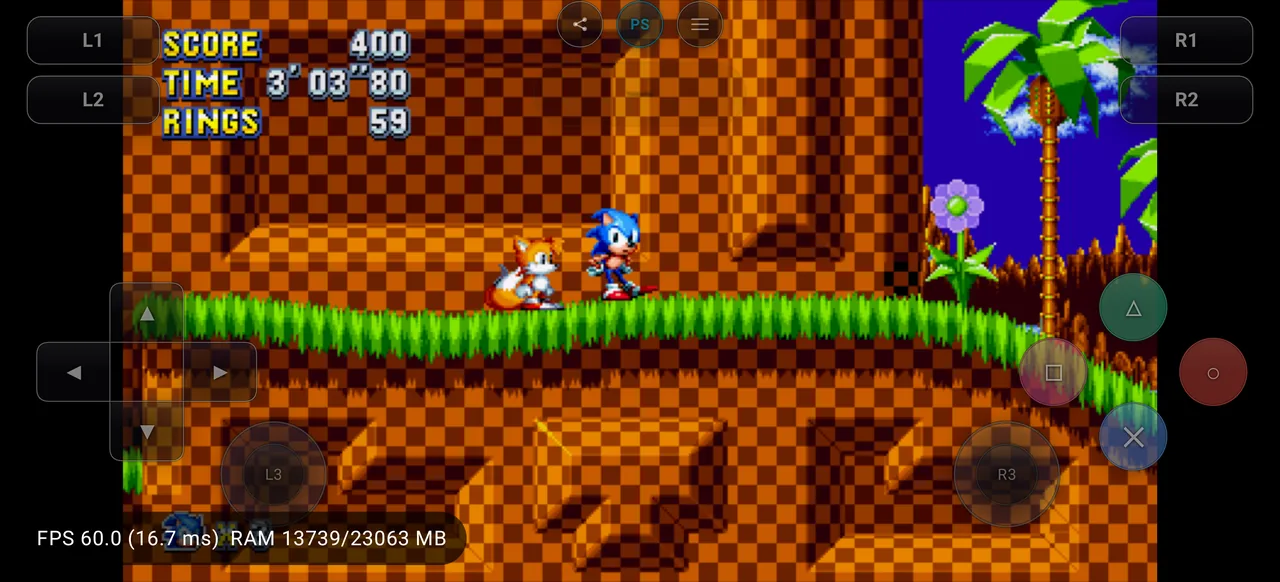
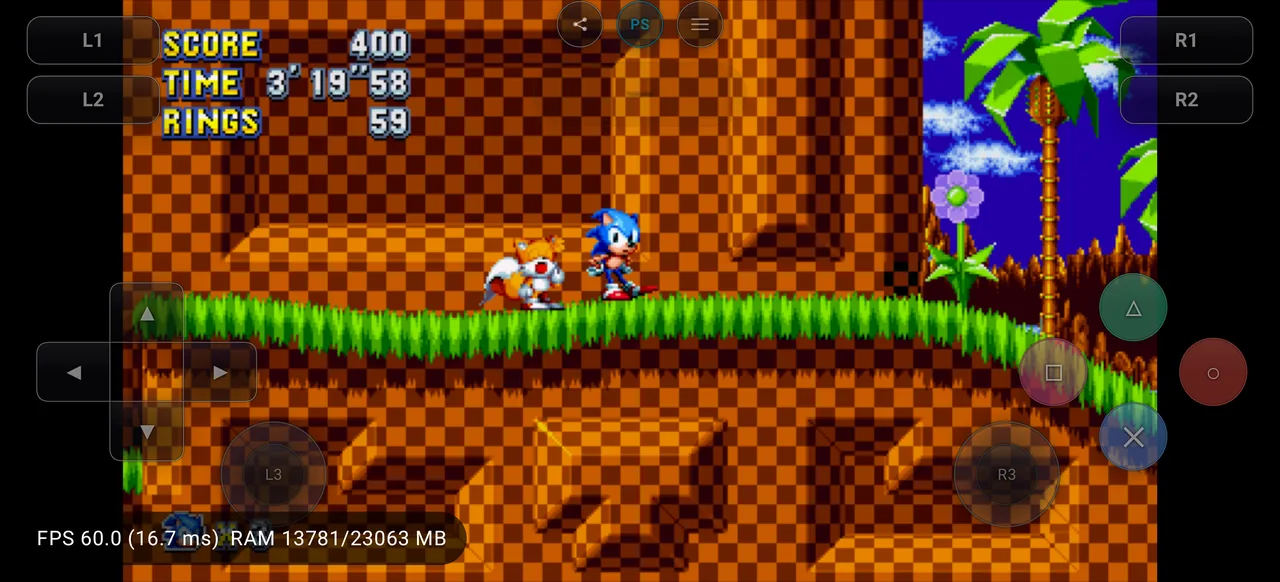
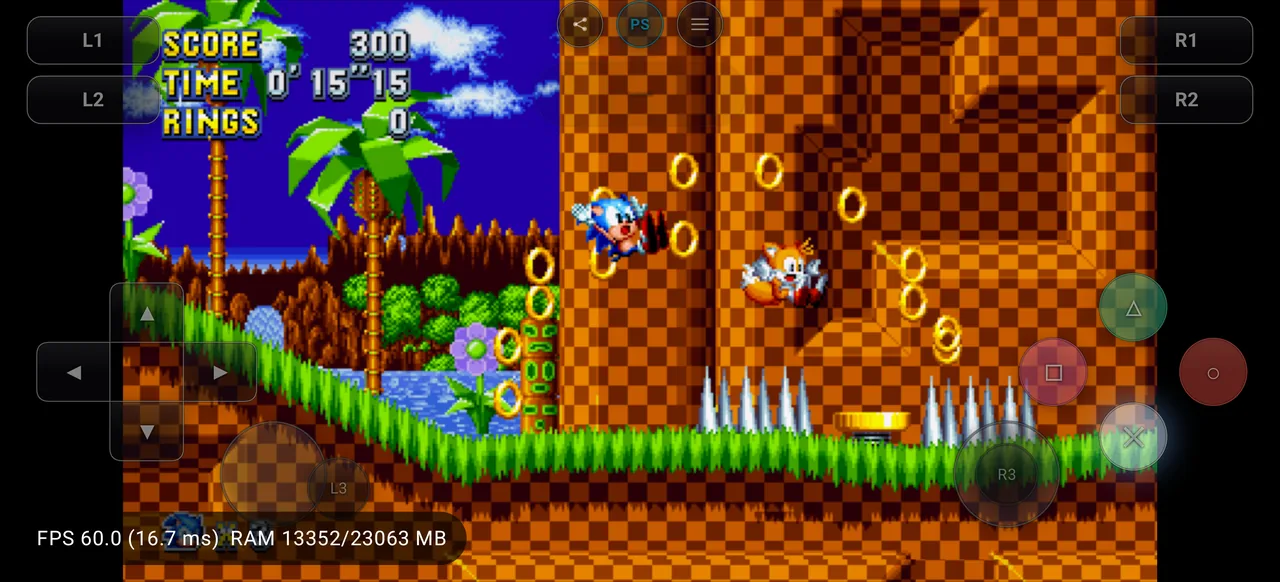
Reaches controllable gameplay in Green Hill Zone Act 1 at ~60 FPS on the experimental Vortek driver, with a continuous Vortek host-loader crash loop.
This report reached controllable gameplay, but major issues, instability, missing features, or performance problems may still prevent normal completion.
- Status
- Ingame
- Tested
- 02 August 2026
- Bachata S4 release
- v0.1.6
- Game version
- 01.03
- Device
- OnePlus 13 · Snapdragon 8 Elite
- SoC
- SM8750
- GPU
- Adreno (TM) 830
- Android
- 16
- Graphics driver
- Vortek (System Driver) 0800.74 ab7329c4b445a4abd9b9af91b8148e1ca41464fa
- Average FPS
- 59.9 FPS
- Frame pacing
- stable
- Resolution scale
- 1.0×
How to interpret this result
This page preserves 2 published reports for Sonic Mania. When two reports disagree, compare the emulator release, device SoC, GPU, Android version, selected graphics driver, game version, and test date before treating the difference as a regression. Mobile thermals can also change sustained performance, so a short FPS measurement should not be read as a guaranteed long-session frame rate.
A compatibility label answers only “what happened in this recorded environment?” It does not prove that every phone with the same chipset will behave identically. Firmware, cooling, driver revisions, emulator settings, and background system load can all change the outcome.
Report history and evidence
Each report below is kept separately rather than overwritten. This makes improvements and regressions visible over time and lets you compare evidence instead of relying on a single aggregate badge.
Ingamev0.1.602 August 2026
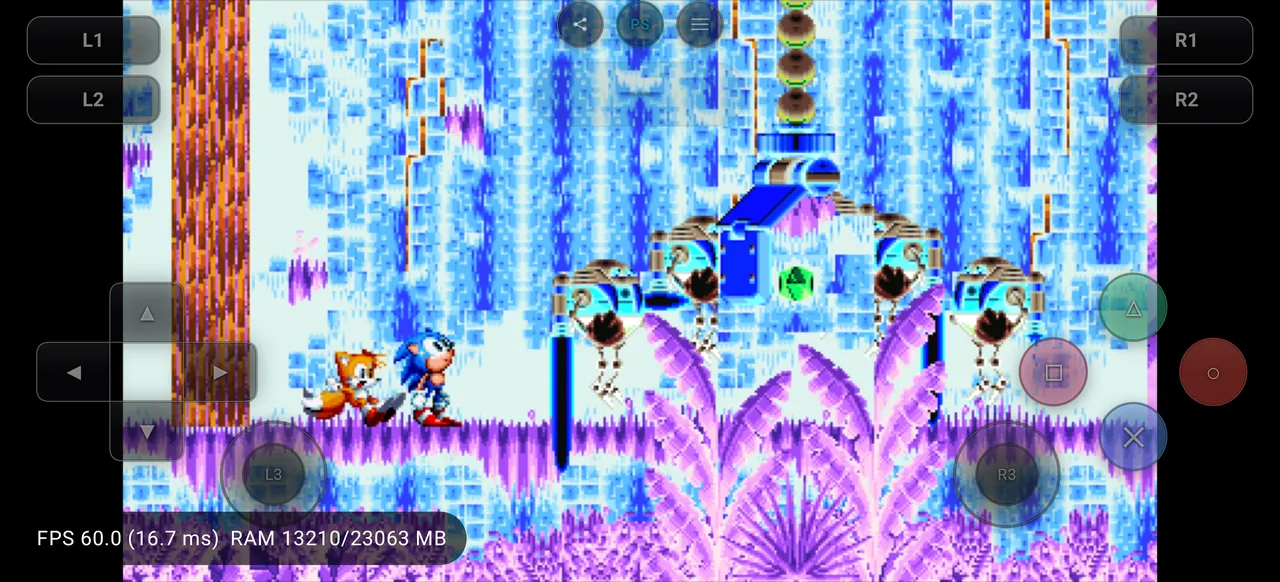
Tested on release v0.1.6 on OnePlus 13 (Snapdragon 8 Elite, Adreno 830, Android 16) with the experimental in-app Vortek driver (System Driver, Vortek, Experimental) which runs the device system Vulkan driver (Qualcomm Adreno 0800.74, Vulkan API 1.4.0) through the Vortek transport (client build ab7329c4b445). Game boots to the title screen, navigates menus, and plays Mania Mode in Green Hill Zone Act 1 with the HUD rendering; performance overlay reported a steady ~60 FPS (avg 59.9, min 51.0, max 60.3 across ~4.5 minutes). Vortek host-loader thread (tid 29112) deterministically crashes with SIGSEGV at pc=0x79ea0f849c (and periodic SIGBUS); the crash reporter catches these so gameplay continues but the session log floods (~12k reports). Full-game completion was not verified, so status is ingame.
- Status
- Ingame
- Tested
- 02 August 2026
- Bachata S4 release
- v0.1.6
- Game version
- 01.03
- Device
- OnePlus 13 · Snapdragon 8 Elite
- SoC
- SM8750
- GPU
- Adreno (TM) 830
- Android
- 16
- Graphics driver
- Vortek (System Driver) 0800.74 ab7329c4b445a4abd9b9af91b8148e1ca41464fa
- Average FPS
- 59.9 FPS
- Frame pacing
- stable
- Resolution scale
- 1.0×
Known issues
- Vortek host-loader thread crashes deterministically with SIGSEGV at pc=0x79ea0f849c (plus SIGBUS) throughout the session; the crash reporter recovers each time so the game keeps rendering, but the shadPS4 log floods with repeated crash reports. Present on v0.1.6; the Vortek crash fixes on main post-release are not included in this release.
Ingamev0.1.631 July 2026
Tested on release v0.1.6 on OnePlus 13 (Snapdragon 8 Elite) with the bundled Turnip gen8 v2 driver (Mesa 26.3.0-devel git-9c51ede50f). Game launches to the title screen, menus navigate correctly, and Mania Mode gameplay is controllable in Green Hill Zone Act 1 with the HUD rendering. Performance overlay reported approximately 60 FPS for the tested session; no crash or hang was observed. Full-game completion was not verified, so status is ingame.
- Status
- Ingame
- Tested
- 31 July 2026
- Bachata S4 release
- v0.1.6
- Game version
- 01.03
- Device
- OnePlus 13 · Snapdragon 8 Elite
- SoC
- SM8750
- GPU
- Adreno (TM) 830
- Android
- 16
- Graphics driver
- Mesa Turnip 26.3.0-devel git-9c51ede50f
- Average FPS
- 59.8 FPS
- Frame pacing
- stable
- Resolution scale
- 1.0×
Before comparing with your device
- Match the Bachata S4 release and commit first.
- Compare the exact GPU driver, including Turnip version/build when used.
- Check game version, Android version, resolution scale, and recorded settings.
- Use screenshots and logs to distinguish rendering problems from guest-code or runtime failures.
- For sustained performance, consider thermal throttling and test duration rather than average FPS alone.
For the status definitions and review process, read How Testing Works. For a practical walkthrough of the database, read the compatibility guide.